Tech
Video Conference Tips: The Complete Guide to Successful Virtual Meetings

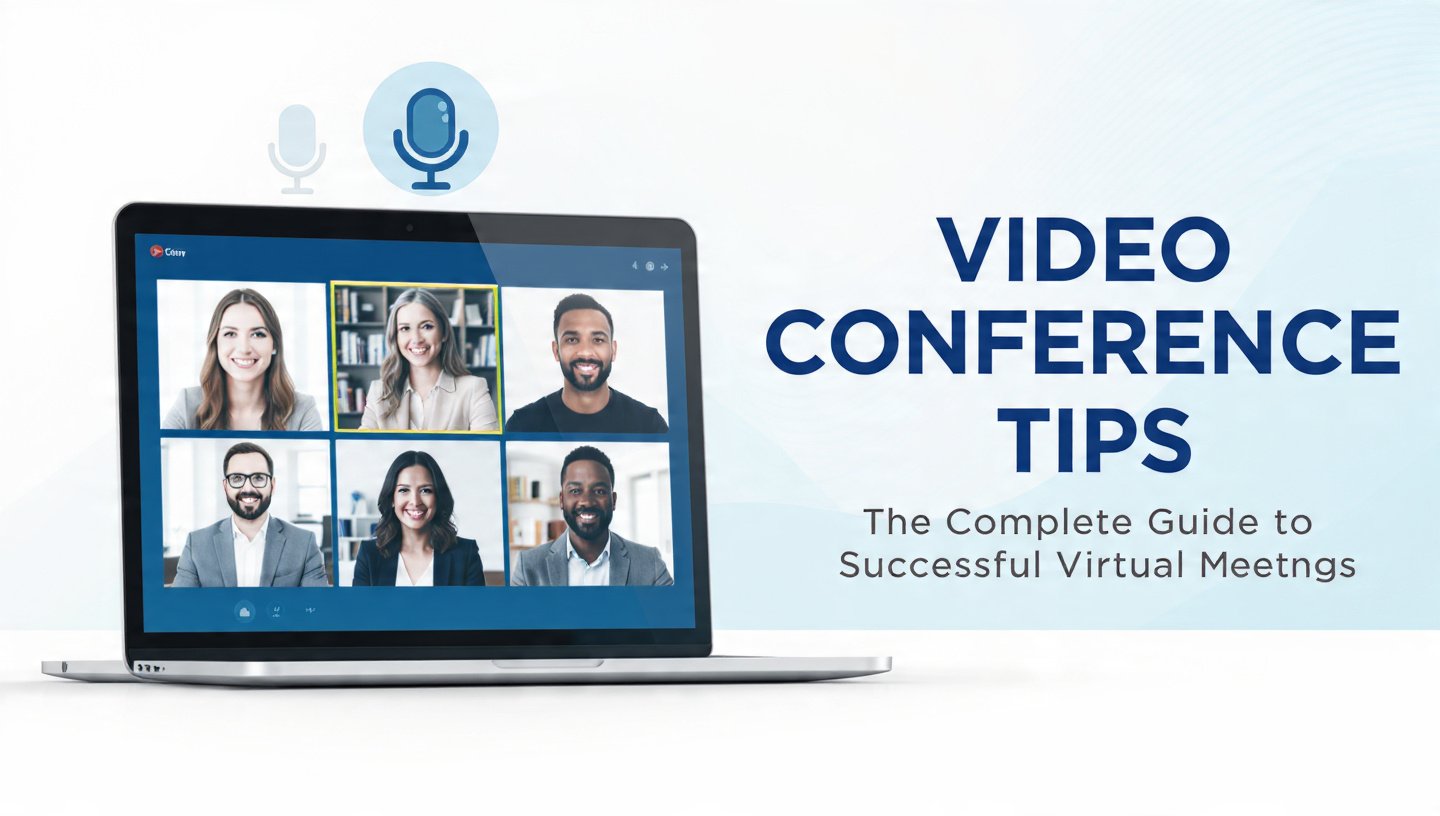
Video conferencing has become an essential part of modern communication. Businesses rely on virtual meetings to connect teams across different locations, educators teach students through online classrooms, healthcare providers conduct virtual consultations, and freelancers communicate with clients worldwide. As remote and hybrid work continue to grow, knowing how to conduct effective video conferences is no longer optional—it is a valuable professional skill.
sMany people assume that joining a virtual meeting is as simple as clicking a link, but successful video conferences require thoughtful preparation, reliable technology, clear communication, and professional etiquette. Poor audio quality, unstable internet connections, distracting backgrounds, and lack of engagement can quickly reduce the effectiveness of an online meeting. On the other hand, a well-organized virtual meeting saves time, improves collaboration, strengthens relationships, and helps participants stay focused on important goals.
This comprehensive guide covers the best video conference tips, from choosing the right equipment and creating a professional workspace to communicating confidently and avoiding common mistakes. Whether you are a business professional, student, teacher, manager, entrepreneur, or remote employee, these practical strategies will help you make every virtual meeting more productive and professional.
1. Choose a Reliable Internet Connection
A stable internet connection forms the foundation of every successful video conference. Even the best webcam and microphone cannot compensate for slow or unstable internet speeds. Before joining a meeting, test your connection and close unnecessary downloads or streaming services that consume bandwidth. Whenever possible, connect your computer directly to your router using an Ethernet cable instead of relying on Wi-Fi. If Wi-Fi is your only option, position yourself close to the router to reduce signal interference. A reliable connection minimizes freezing, lag, and dropped calls, allowing conversations to flow naturally without frustrating interruptions.
2. Use High-Quality Audio Equipment
Meeting participants are generally more forgiving of average video quality than poor audio. If attendees cannot hear your voice clearly, communication suffers immediately. Investing in a quality USB microphone or headset significantly improves clarity while reducing background noise and echo. Test your microphone before every meeting, adjust input volume, and use noise suppression features when available. Clear audio ensures everyone understands your ideas without asking you to repeat yourself.
3. Improve Your Camera Quality
Your webcam creates the first impression during virtual meetings. Position your camera at eye level to create natural eye contact and avoid awkward viewing angles. Clean the camera lens regularly to remove dust and fingerprints, and use a high-definition webcam if your built-in camera delivers poor image quality. Looking directly into the camera while speaking helps establish stronger engagement and makes conversations feel more personal.
4. Optimize Your Lighting
Proper lighting dramatically improves your appearance on camera. Sit facing a window whenever possible to benefit from natural daylight. If natural light is unavailable, place a soft light or ring light in front of you instead of behind you. Backlighting causes your face to appear dark, making it difficult for others to see your expressions. Balanced lighting creates a professional image and keeps the focus on your message rather than technical distractions.
5. Create a Professional Background
Your surroundings influence how others perceive you. Choose a clean, organized, and distraction-free background that reflects professionalism. If your workspace is cluttered or private, use a subtle virtual background or background blur. Avoid backgrounds with excessive movement or bright colors that draw attention away from the discussion. A simple and tidy environment helps participants concentrate on the meeting.
6. Dress Professionally
Although you may be working from home, your appearance should match the importance of the meeting. Wear clean, professional clothing with solid colors that display well on camera. Avoid busy patterns that create visual distractions. Dressing appropriately not only creates a positive impression but also helps you adopt a confident and professional mindset during the meeting.
7. Join Meetings Early
Arriving five to ten minutes before the scheduled start time allows you to resolve technical issues before discussions begin. Use this time to test your microphone, speakers, webcam, lighting, and screen-sharing functionality. Early preparation demonstrates reliability and prevents unnecessary delays that inconvenience other participants.
Common Video Conference Mistakes to Avoid
Many professionals unintentionally reduce meeting quality through avoidable mistakes. Joining meetings without testing equipment, speaking while muted, failing to mute during background noise, multitasking during discussions, using poor lighting, neglecting eye contact, interrupting speakers, and sharing cluttered screens all reduce professionalism and meeting effectiveness. Recognizing these common issues and correcting them helps create smoother and more productive virtual interactions.
Benefits of Following Video Conference Best Practices
Applying effective video conference tips offers numerous advantages. Better communication improves understanding among team members, while professional presentation strengthens credibility and trust. Clear audio and video reduce misunderstandings, organized meetings save valuable time, and active participation encourages collaboration and innovation. Businesses experience greater productivity, remote teams build stronger relationships, and clients gain confidence in professional interactions. Consistently applying these best practices leads to more efficient meetings and stronger long-term communication.
Conclusion
Video conferencing has transformed the way people communicate, collaborate, and conduct business. As remote work, online education, and global teamwork continue to expand, mastering virtual meeting skills has become essential for professional success. Effective video conferences require more than reliable technology—they depend on preparation, clear communication, professional etiquette, and thoughtful engagement.
By following the strategies outlined in this guide, including improving your internet connection, optimizing audio and video quality, creating a professional workspace, practicing proper meeting etiquette, encouraging participation, and following up after meetings, you can significantly improve the quality of every virtual interaction. Whether you attend occasional online meetings or spend your entire workday collaborating remotely, these video conference tips will help you communicate more confidently, build stronger relationships, and achieve better results in every online meeting.
Frequently Asked Questions (FAQs)
1. What are the most important video conference tips?
The most important tips include using a stable internet connection, ensuring clear audio, maintaining good lighting, keeping your camera at eye level, muting your microphone when not speaking, and joining meetings early to test your equipment.
2. How can I improve my video conference quality?
Improve quality by upgrading your webcam and microphone, using proper lighting, choosing a quiet environment, maintaining a strong internet connection, and closing unnecessary applications before the meeting.
3. Why is video conference etiquette important?
Good etiquette minimizes distractions, promotes respectful communication, improves collaboration, and creates a professional impression during virtual meetings.
4. What is the best lighting for video calls?
Natural light facing your face is ideal. If unavailable, use a soft front-facing light or ring light and avoid bright light sources behind you.
5. How do I reduce background noise during online meetings?
Use a quality headset, enable noise suppression, mute yourself when not speaking, close windows, silence devices, and choose a quiet meeting space.
6. Which platforms are best for video conferencing?
Popular platforms include Zoom, Microsoft Teams, Google Meet, Cisco Webex, and Skype. The best choice depends on your organization’s needs, security requirements, and collaboration features.
7. Should I record video meetings?
Record meetings only when necessary and after informing participants. Recordings are useful for documentation, training, and sharing information with absent attendees.
8. How long should a virtual meeting last?
Most virtual meetings are most effective when kept between 30 and 60 minutes, with a clear agenda and defined objectives to maintain engagement.



Finding the right way to contact an online platform can sometimes be more difficult than expected, especially when users need help with an account, have a question about a service, want to report an issue, or simply need additional information. For people searching for Get in Touch Fumbleboard, the main goal is usually to find a reliable and convenient way to communicate with the Fumbleboard team. Whether someone is looking for contact information, support assistance, answers to a specific question, or guidance about using the platform, knowing where to begin can save time and prevent unnecessary frustration. A clear contact process is important for every online service because users expect their concerns to be handled professionally and efficiently.
The phrase Get in Touch Fumbleboard is commonly associated with users who want to learn more about contacting the platform and finding the correct support channel. Depending on the nature of the question, different contact options may be more suitable than others. A general inquiry may require a basic contact method, while a technical issue may need detailed information about the problem. In this complete guide, we will explain what users should consider when trying to contact Fumbleboard, how to prepare a clear message, what information may be useful to include, and how to make the communication process more effective. The purpose is to provide a helpful and easy-to-understand resource for anyone searching for information about Fumbleboard contact, Fumbleboard support, or how to get in touch with Fumbleboard.
What Does “Get in Touch Fumbleboard” Mean?
The keyword Get in Touch Fumbleboard generally refers to the process of contacting Fumbleboard for assistance, questions, feedback, or other types of communication. When users search for this phrase, they may be looking for a contact page, customer support option, email address, online form, social media channel, or another official method of reaching the platform. The exact reason for contacting Fumbleboard can vary significantly from person to person. Some users may need help understanding a feature, while others may have a technical issue, account-related concern, or general question that requires a response from the platform.
Understanding the purpose behind a contact request is important because it helps users choose the most appropriate communication method. A well-written message can also make it easier for the support team to understand the issue and provide a useful response. Instead of sending a very short message such as “I need help,” users should try to explain the situation clearly and include the relevant details. This can make the support process more efficient and reduce the need for multiple follow-up messages. Therefore, anyone searching for Get in Touch Fumbleboard should focus not only on finding contact information but also on communicating their question or problem in a clear and organized way.
Why Users May Want to Contact Fumbleboard
There can be many different reasons why someone may want to contact Fumbleboard. One common reason is that a user has a question about how the platform works or needs clarification about a particular feature. Online platforms can sometimes include different tools, sections, or services that are not immediately obvious to every visitor. When users cannot find the answer through available information, contacting the appropriate support team can be the best way to receive clarification. A direct question that clearly explains what the user is trying to do can often make it easier for the support team to provide a useful response.
Another reason people may search for Fumbleboard support is to report a technical problem. Users may experience difficulties accessing a page, using a feature, completing an action, or dealing with an unexpected error. When reporting a technical problem, it is helpful to describe exactly what happened, when the problem occurred, and what steps were taken before the issue appeared. If an error message is displayed, including the exact wording of that message can also help the support team understand the situation. A detailed report is generally more useful than a vague complaint because it gives the recipient enough information to investigate the problem.
Users may also want to contact Fumbleboard to share feedback or make a general inquiry. Feedback can help online platforms understand how users experience their services and where improvements may be needed. Whether the feedback is positive, negative, or simply a suggestion, it should be presented respectfully and clearly. A thoughtful message that explains the reason behind the feedback can be more valuable than a short statement without context. This is another reason why understanding how to get in touch with Fumbleboard can be useful for both users and the platform itself.
How to Get in Touch with Fumbleboard
The best way to contact Fumbleboard depends on the type of question or issue a user wants to discuss. In general, users should first look for the platform’s official contact or support section. This may provide instructions about available communication methods and help users determine which option is appropriate for their situation. Using an official communication channel is important because it can help users avoid unreliable third-party contact information and ensure that their message is directed to the appropriate team.
When contacting an online platform, users should take a moment to prepare their message before sending it. A clear subject line or opening sentence can immediately explain the purpose of the inquiry. For example, a user might identify whether the message concerns a technical issue, a general question, feedback, or another matter. The body of the message should then explain the situation in a logical order. Including relevant details from the beginning can make the conversation more efficient and may help reduce delays caused by requests for additional information.
It is also important to use accurate contact details when submitting a request. Users should carefully check the information they provide and make sure that any required fields have been completed correctly. If a response is expected by email or another communication method, the user should ensure that the contact information is accurate and accessible. A small mistake in the submitted information could make it difficult for the support team to respond. For this reason, paying attention to detail is an important part of the Fumbleboard contact process.
What Information Should You Include When Contacting Fumbleboard?
A good contact message should provide enough information for the recipient to understand the reason for the inquiry. The first important detail is a clear explanation of the issue or question. Instead of writing a general statement, users should describe what they were trying to do and what happened. For example, explaining the steps that led to a problem can provide valuable context and make it easier to understand the situation.
If the issue is technical, users should include details such as the device or browser they were using when the problem occurred, when the issue started, and whether the problem happens repeatedly or only occasionally. If an error message appears, the exact text can be useful. Screenshots or other supporting information may also help when the contact system allows them. However, users should always avoid sharing sensitive information unnecessarily and should only provide details that are relevant to solving the issue.
Users should also keep their messages polite and professional. A respectful message does not mean that users cannot express frustration or explain that a problem has caused difficulty. However, clear and calm communication can make it easier for both sides to focus on finding a solution. A well-organized message with relevant details is often more effective than a long message that contains unrelated information. This approach can improve the overall experience when seeking Fumbleboard help.
Tips for Getting a Better Response from Fumbleboard Support
One of the most useful tips when contacting support is to be specific. A message that explains the exact problem is much easier to understand than a message that simply says something is not working. Users should try to describe the problem in simple language and provide the information needed to understand the situation. If the issue involves a particular page, feature, or action, mentioning that detail can help direct the inquiry to the right area.
Another important tip is to avoid sending multiple identical messages in a short period of time unless there is a specific reason to do so. Sending repeated requests can sometimes make communication more confusing. Instead, users should keep a record of their original inquiry and allow a reasonable amount of time for a response. If a follow-up is necessary, it can be helpful to refer to the original message and explain that the issue is still unresolved. This provides continuity and makes it easier to understand the history of the conversation.
Users should also review their message before submitting it. Checking for missing details, incorrect contact information, or unclear explanations can improve the quality of the inquiry. A few extra moments spent preparing a message can save time later. Whether someone is looking for Fumbleboard contact information or trying to resolve a specific problem, good communication is one of the most effective ways to improve the chances of receiving useful assistance.
Is It Important to Use Official Fumbleboard Contact Channels?
Yes, users should generally prioritize official contact channels when trying to reach an online platform. Official channels are more likely to provide reliable communication and direct users to the appropriate support team. Searching through unofficial websites or random online posts can sometimes lead to outdated, incomplete, or inaccurate information. For this reason, users searching for Get in Touch Fumbleboard should carefully verify that the contact method they are using is associated with the official platform.
Using an official channel can also help protect users from potential scams or misleading information. Users should be cautious about sharing passwords, payment information, security codes, or other sensitive details with unknown individuals or unofficial websites. Legitimate support communication should be handled through trusted channels, and users should always consider whether a request for personal information is necessary and appropriate. Being careful about online communication is an important part of protecting personal information while seeking help.
How Fumbleboard Contact Information Can Help Users
Clear contact information can make a significant difference in the user experience. When people know where to ask questions or report problems, they are more likely to receive assistance without wasting time searching through unrelated sources. A simple and accessible contact process also helps users feel more confident when interacting with an online platform. Whether the issue is small or complex, knowing how to begin the conversation is often the first step toward finding a solution.
For users, the main advantage of finding reliable Fumbleboard contact information is convenience. Instead of searching repeatedly for answers, users can direct their questions to an appropriate support channel. For the platform, effective communication provides an opportunity to understand user concerns and identify areas where additional information or improvements may be helpful. In this way, the contact process can benefit both users and the organization behind the platform.
Common Mistakes to Avoid When Trying to Contact Fumbleboard
One common mistake is providing too little information. A message that does not explain the problem clearly may require several follow-up questions before the issue can be understood. Another mistake is including too much unrelated information, which can make the main issue difficult to identify. The best approach is to provide relevant information in a clear and organized format.
Another mistake is relying on unverified contact details found through unofficial sources. Users should be careful when searching online and should confirm that the contact information is current and trustworthy. It is also important not to share sensitive information unnecessarily. Users should carefully consider what information is needed to explain their issue and avoid providing private details that are not relevant to the request.
Finally, users should avoid assuming that a lack of an immediate response means their request has been ignored. Support teams may receive many inquiries, and response times can vary depending on the nature and volume of requests. If a follow-up is necessary, users should provide a polite reminder and include any relevant details from their original message. Patience and clear communication can make the process smoother.
Conclusion
Knowing how to Get in Touch Fumbleboard can be helpful for anyone who has a question, needs assistance, wants to report a problem, or wishes to provide feedback. The most important steps are to look for reliable official contact information, choose the communication method that best matches the purpose of the inquiry, and prepare a clear message with relevant details. Whether someone is searching for Fumbleboard contact, Fumbleboard support, Fumbleboard help, or information about how to contact Fumbleboard, a thoughtful and organized approach can make the communication process more effective.
Users should always prioritize trusted contact channels and be careful about sharing sensitive information online. A clear explanation, accurate details, and respectful communication can help ensure that questions and concerns are easier to understand. Ultimately, the goal of contacting Fumbleboard is to establish a clear line of communication and find the most appropriate assistance for the situation. By following the guidance in this article, users searching for Get in Touch Fumbleboard can better understand how to approach the contact process and make their inquiries more useful and efficient.
Frequently Asked Questions About Get in Touch Fumbleboard
1. What does “Get in Touch Fumbleboard” mean?
Get in Touch Fumbleboard refers to searching for ways to contact Fumbleboard, obtain assistance, ask questions, report problems, or communicate with the platform.
2. How can I contact Fumbleboard?
The best approach is to look for the platform’s official contact or support options and use the communication method that matches your specific question or issue.
3. What should I include in a Fumbleboard support message?
You should clearly explain your question or problem and include relevant details such as what happened, when it happened, and any useful information that can help explain the situation.
4. Why is official Fumbleboard contact information important?
Official contact information is generally more reliable and can help ensure that your message reaches the appropriate team. It can also help users avoid outdated or misleading third-party information.
5. How can I get a better response from Fumbleboard support?
Be specific, polite, and organized. Clearly explain the issue, include relevant details, and avoid sending unnecessary or unrelated information.
6. Can I contact Fumbleboard for general questions?
Yes, users may seek contact information when they have general questions, need clarification, want to provide feedback, or require assistance with a problem.
7. What should I do if I do not receive an immediate response?
Allow a reasonable amount of time for a response. If necessary, send a polite follow-up message that refers to your original inquiry and explains whether the issue is still unresolved.
8. What is the best keyword for this topic?
The primary keyword is Get in Touch Fumbleboard, while related keywords include Contact Fumbleboard, Fumbleboard Support, Fumbleboard Help, Fumbleboard Contact Information, and How to Contact Fumbleboard.


 gaming4 months ago
UFC 5 Controls: Complete Beginner and Advanced Guide (PS5 & Xbox)
- Tech4 months ago
Aura Wallpaper: The Ultimate Guide to Beautiful Backgrounds for Every Device (2026)
- gaming4 months ago
r2rtrust.foullrop85j.08.47h Gaming: The Complete Guide for Every Gamer
- Entertainment4 months ago
Figure Skating Milano Cortina 2026: Complete Guide to the Olympic Competition
- NEWS3 months ago
Crypto Batter.com – Your Trusted Source for Cryptocurrency News, Market Trends, and Blockchain Insights
- Tech4 months ago
YouTube to MP3: The Complete Guide to Safe and High-Quality Audio Conversion
- Entertainment4 months ago
Flix HQ: Everything You Need to Know About the Popular Streaming Platform
- Tech4 months ago
Jack Swinney OneStaff Medical Email: How to Find the Right Contact Information